AI & answers
Self-hosted AI chatbot without OpenAI
Your AI chatbot must not use OpenAI or Anthropic? Since October you can connect your own or a local model per project. How it works and what we measured.
Contents
Some organisations are simply not allowed to send their texts to a US provider. Full stop. For them, an AI chatbot has been hard to justify, because almost every vendor depends on OpenAI or Anthropic. Since October 2026 you can connect your own language model to Mignuti Chatbot, per project. That gives you a self-hosted AI chatbot running on your hardware or with a provider you choose: a chatbot without OpenAI, and without Anthropic.
This post explains how it works, what we measured on an ordinary graphics card, and where the honest limits are.
Who this is for
By default every Mignuti bot answers with Claude Haiku from Anthropic, and search runs on OpenAI embeddings. Both are in the USA; transfers are covered by the EU standard contractual clauses. For most businesses that’s fine. We covered the data protection side in what “GDPR compliant” really means for AI chatbots.
For some, it isn’t enough:
- Public authorities with state or in-house rules
- Universities and research institutions that already run their own data centres or have access to academic AI services
- Hospitals and healthcare organisations
- Companies with group policies that only allow external AI providers after approval
If that’s you, the own-model option was built for you. To see what a bot for student services looks like, have a look at chatbots for higher education.
How a self-hosted AI chatbot works
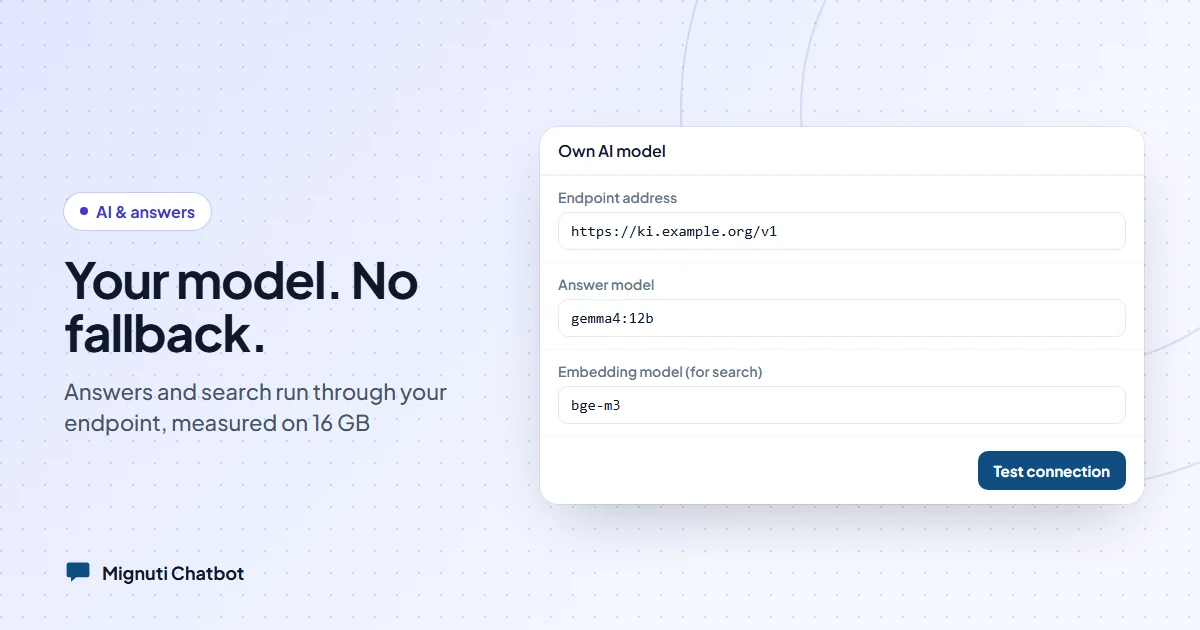
In Bot Studio, on the “Behavior” tab, you’ll find a section called “Own AI model”. Only project admins can see it. You enter four things:
- Endpoint address, usually ending in
/v1 - API key
- Answer model, the language model that writes the replies
- Embedding model for search, for example
bge-m3
The endpoint has to speak the OpenAI format. The usual tools do: Ollama or vLLM on your own GPU, and hosted services such as GWDG’s Academic Cloud, STACKIT or IONOS. So far we’ve measured with Ollama on our own hardware.
Once the endpoint is set, every AI call for that project goes through it: answers in the widget and in the test chat, the check whether an answer matches the sources, the choice of action buttons, lead scoring, topic analysis, suggested answers for open questions, and spell-checking. On top of that, the embeddings for website pages, texts, Q&A pairs and uploaded files.
And the key part: there is no fallback. If your model is down, the bot does not quietly ask Anthropic or Azure instead. It returns an error rather than leaking data behind your back.
One detail worth knowing: if you leave the embedding model field empty, search stays on the default, which is OpenAI. If you can’t send any data to OpenAI, enter your own model there.
Switching without re-crawling
A new embedding model turns text into numbers differently, so the old vectors no longer fit. We don’t re-crawl your website for this. We recalculate the stored sections with the new model instead. That takes a few minutes. During that time search only finds sections that have already been converted, so the bot temporarily knows less. Best not to switch in the middle of your busiest week.
“Test connection” lets you check beforehand whether the answer and embedding models are reachable and how quickly they respond.
Local, with no open port
Many servers sit behind a firewall: a NAS in the office, a machine on a campus network. For that there’s a ready-made package: Ollama for the models, a gateway in front that only lets through the three endpoints that are needed and only with an API key, and an optional encrypted SSH back channel. The connection goes out from your server, so you don’t have to open anything on your router.
What the package needs: an NVIDIA GPU with at least 16 GB of memory, about 15 GB of disk space for the models, and Docker with NVIDIA support.
What we measured on 16 GB
We tried this with a real bot for an educational institution, on a graphics card with 16 GB of memory (RTX 4060 Ti). Fourteen questions through the test chat: 11 genuine ones and 3 trick questions the website has no answer to. The trick questions show whether a model admits it doesn’t know, or makes something up.
| Answer model | Trick questions answered honestly | Response time |
|---|---|---|
| Claude Haiku 5.5 (default) | 3 of 3 | 2–8 s |
| gemma4:12b | 3 of 3 | 6–11 s |
| ministral-3:14b | 3 of 3 | 8–35 s |
| qwen3:14b, thinking off | 2 of 3 | 4–24 s |
| gemma3:12b | 1 of 3 | 7–17 s |
| qwen3.5:9b | 1 of 3 | 5–17 s |
What we took away:
- One model convinced us on 16 GB.
gemma4:12banswered all three trick questions honestly and answered all 11 genuine ones. Asked about a deadline that wasn’t on the website, it said exactly that, named the other deadlines clearly as different ones, and pointed to direct contact. - The others made things up. Several models named a deadline that doesn’t exist, or guessed instead of saying the information was missing. For a website bot that’s the biggest risk there is.
- “Thinking” costs time. Models with a built-in reasoning step were sometimes very slow, or returned empty answers because the reasoning used up the budget. For custom endpoints we therefore automatically ask for reasoning to be switched off. On a short question that meant 0.6 seconds instead of 11.
- A small model doesn’t work as a checker. We also tested local models as answer checkers. On 16 GB they barely caught invented answers and rejected correct ones instead.
The honest limits
Quality. In our test Claude Haiku was faster and honest out of the box. A model with 12 to 14 billion parameters only gets there in individual cases. For “never make things up” at that level, the next step is a bigger model: a GPU with 24 GB or more, or a hosted service with large models.
Simultaneous visitors. A 16 GB card answers one request after another. For several users at once you need more GPU memory.
Operations. The model runs on your side, so hardware, updates and uptime are yours too. And because there is no fallback, your bot won’t answer while your server is off.
What still remains. Your own model replaces the AI services. The platform itself, meaning the database, knowledge and conversations, keeps running on our server at netcup in Germany. Emails go through Resend, billing through Stripe, and the admin interface and widget file are delivered via Cloudflare. The chat itself goes straight to our server. If your rule is “everything in-house”, let’s work through it together.
Cost and getting started
Whether your own model affects your plan, and whether you need a back channel, is best discussed directly: get in touch. We set up the back channel for you, and the measurements above should help with choosing a model.
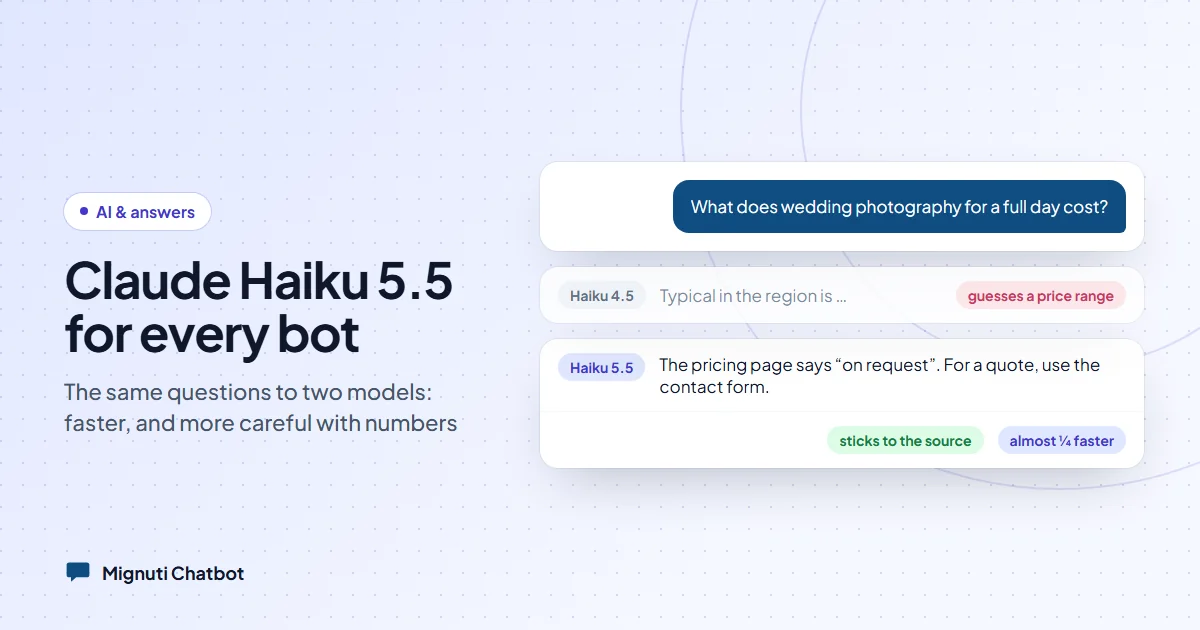
Our advice from testing: before launch, ask the bot a few questions your website can’t answer. How it reacts tells you more about your model than any benchmark. We did the same when we moved to Claude Haiku 5.5, described in new AI model: Claude Haiku 5.5 for all bots. More on hosting and data flows is on our trust page.
Your own chatbot, built from your content
Add your website, upload PDFs or connect a folder. The bot answers only from your sources. Try it free for 7 days.