Knowledge sources
Chatbot trained on your own data and PDFs
A chatbot trained on your own data, without training a model: how the bot answers from your website, PDFs and Q&A, and which sources give good answers.
Contents
When people ask for a chatbot trained on your own data, they usually picture something big: you hand the AI your documents, it studies them for a while, and afterwards it simply knows. That is not how Mignuti Chatbot works, and it is not how most website bots work either. Which is good news, because what happens instead is faster, easier to trace and can be corrected at any time.
This post explains what really happens to your data, which sources you can connect, and how to prepare them so the bot gives good answers.
A chatbot trained on your own data looks things up
The language model behind your bot is not trained on your data. It stays exactly as it is. Instead, every question goes through a lookup step first. The technical term is RAG, short for “retrieval-augmented generation”. In plain terms:
- Your content is split into short passages of a few hundred characters and stored so it can be searched by meaning.
- When a visitor asks something, the bot pulls out the passages that fit best.
- Only those passages go to the model, together with the question. The model writes the answer from them.
The difference from “training” shows up in daily use. Change a source, and the change applies as soon as it has been read in again. Delete a source, and it disappears from the answers. And because every answer rests on specific passages, you can show where it came from.
A side effect: the search works across languages. A German PDF can answer a Spanish question, and the bot replies in up to 12 languages.
Which sources you can connect
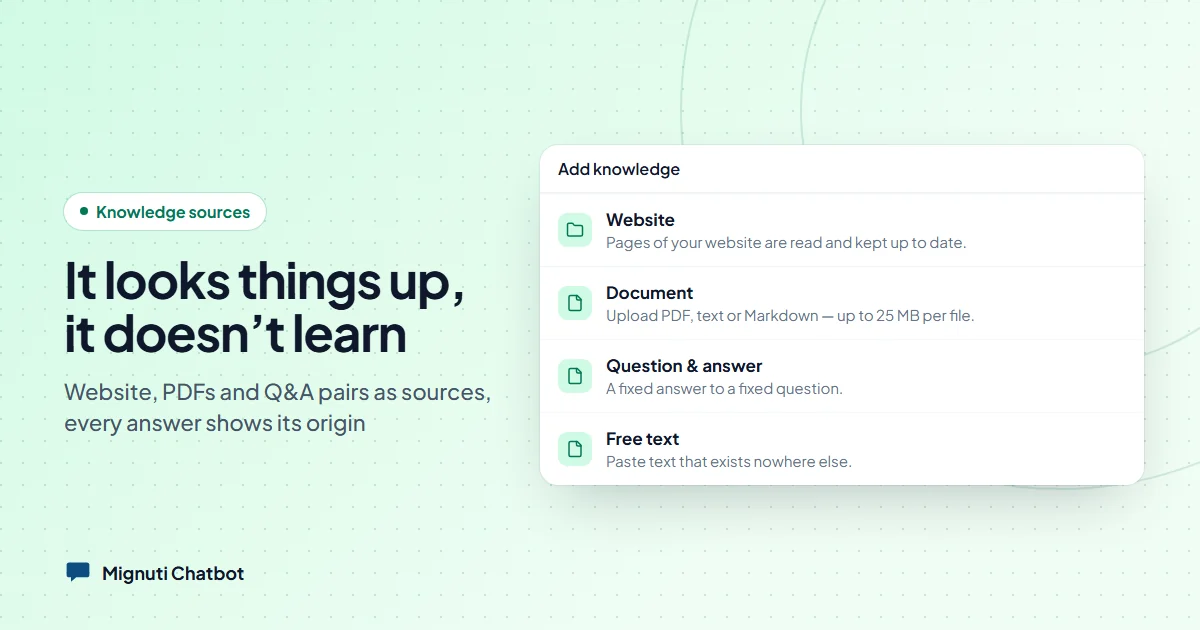
In the admin you’ll find everything under Knowledge, behind the “Add knowledge” button. Your options:
- Website: enter an address or a sitemap.xml and the crawler reads the pages. If you want, it also follows links on the same domain, because many systems leave whole sections out of the sitemap. Pages it can’t reach through any link can be pinned one by one with “Add page”. Depending on your plan, the bot re-reads the website automatically every month, week or day.
- Document: PDF, TXT or Markdown, up to 25 MB per file. Word files aren’t supported yet; export them to PDF first.
- Free text: paste text that lives nowhere else, for example from Notion or an internal document.
- Question & answer: a fixed answer to a fixed question. More on that below.
- Glossary term: abbreviations and jargon your visitors type.
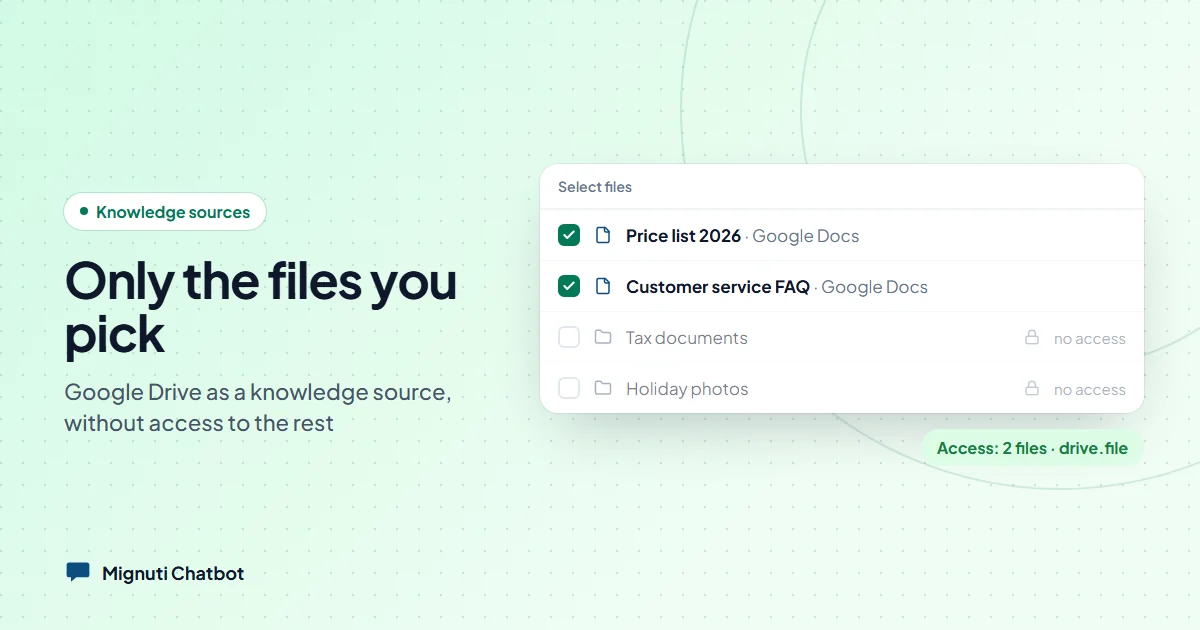
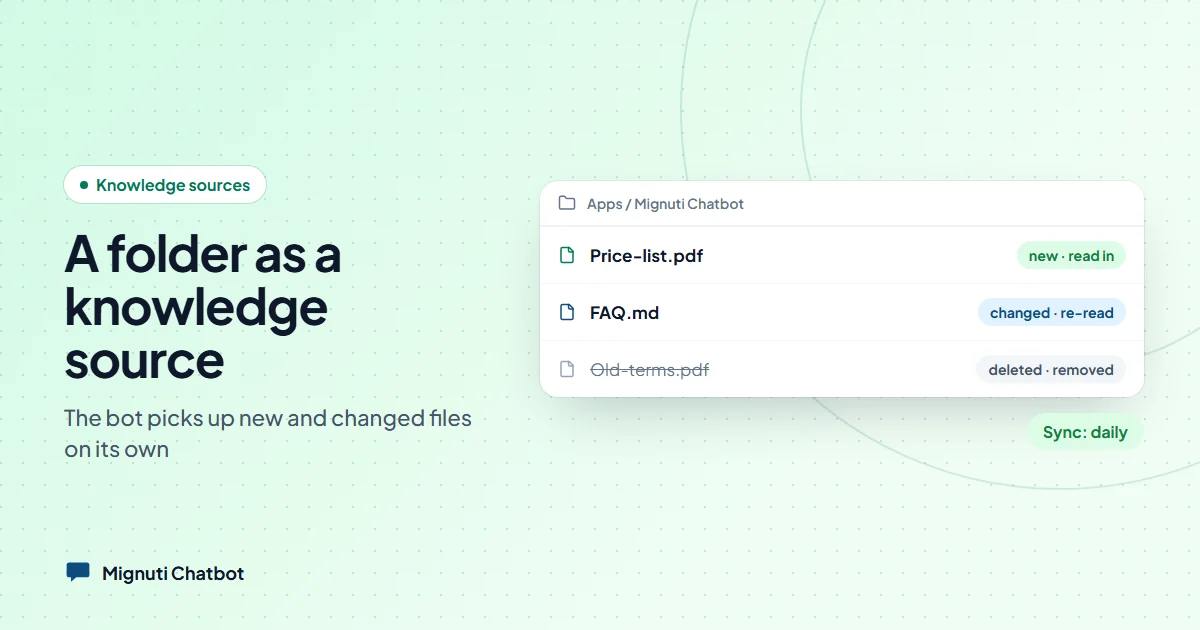
- Dropbox folder and Google Drive: from the Standard plan upwards. The bot picks up new and changed files. The details are in our posts on Dropbox and Google Drive.
How many documents, URL sources and pages per crawl you get depends on your plan. The overview is on the pricing page.
Question-and-answer pairs: the direct route
For things that should always be answered the same way, Q&A pairs are the sharpest tool. Opening hours, return periods, “how do I reach you?”. A pair is saved in a second and the bot knows it straight away.
Two settings make pairs especially useful:
- Other wordings: up to five other ways of asking the same question. Each one is searched on its own and leads to the same answer. Someone typing “Am I admitted?” then gets the same answer as someone writing “Did I get a place?”.
- Final: if the pair is the best match for a question, the bot answers from it alone and pulls in no other sources. Otherwise it merges all matches into one answer. Worth it for answers nothing should be added to, such as a binding price.
If you already have an FAQ list, pairs can be imported and exported as a JSON file.
Every passage knows where it comes from
A detail you never see but that matters a lot: every passage from a website carries the title of its page as its first line. For uploaded text it’s the title, for PDFs the file name. We described in detail why this matters, using a university network as the example: a paragraph like “The fee is 65 euros” is useless if a hundred pages have almost the same paragraph and none of them says what it belongs to.
That gives you a simple tip: use descriptive file names. “Price-list-dog-boarding-2026.pdf” helps the search, “scan_0034.pdf” doesn’t.
Showing sources and saying “I don’t know”
Below each answer, the widget can show what it is based on: up to three sources, such as the page, the document or a saved answer. You switch this on or off in Bot Studio with “Show sources to visitors”. In the test chat you always see the sources, so you can trace every answer.
Just as important is what happens when nothing fits. The bot only answers from your sources. If it finds nothing suitable, it says so honestly instead of making something up, and points to your contact route. You set that as the contact fallback URL: a contact form, a mailto address or a phone number. The bot doesn’t hand the chat over to a person; it shows the way to you.
The admin collects these unanswered questions under Pending Questions. That list is where you learn what your sources are missing.
How to prepare good sources
The bot is only as good as what it finds. In practice, these points make the biggest difference:
- One topic per document. An 80-page catch-all PDF with prices, terms, directions and team photos is harder to search than four short documents with clear names.
- Keep prices and deadlines current. The bot reads out what is written. An old PDF with last year’s price list is more dangerous than none at all. Delete old versions instead of adding new ones next to them.
- Avoid contradictions. If one place says delivery takes “two weeks” and another says “ten working days”, a good model mentions both and says where each comes from. Better to clean up the source.
- No scanned PDFs. To a computer, a scanned page is an image without text. For such files the knowledge base reports “No selectable text found”. Use the original file or export the document again so the text can be selected.
- No passwords. Password-protected documents can’t be read in.
- Important things as a Q&A pair. Your customers’ ten most common questions deserve their own pair, even if the answer is somewhere on the website.
- Test like a visitor. Ask questions in the test chat the way your customers would, typos and casual phrasing included. Look at the sources. If one doesn’t fit, the cause is almost always the source itself.
What doesn’t work
So you don’t have the wrong expectations:
- You can’t upload spreadsheets or presentations (Excel, PowerPoint) directly. Upload formats today are PDF, TXT and Markdown.
- Websites that build their content in the browser with JavaScript can’t be read by the crawler, because the delivered HTML contains no text. PDF, text or Q&A pairs are the better route there.
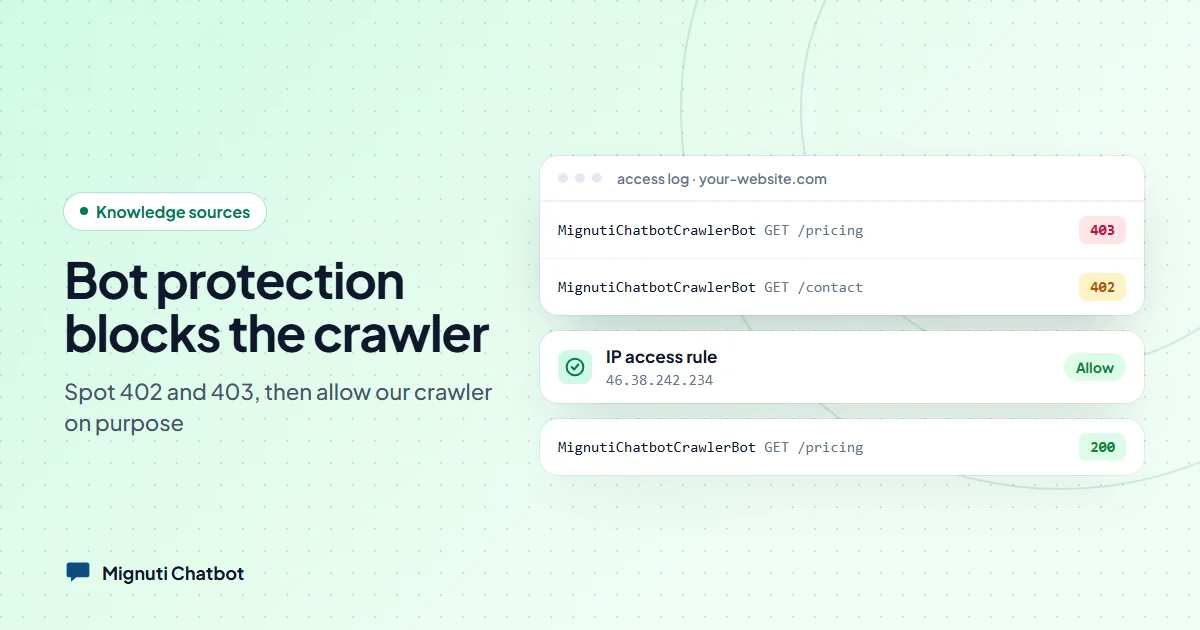
- If a bot protection such as Cloudflare locks the crawler out, the bot sees nothing. How to spot and fix that is in our post Site blocks your bot?.
- Counting across whole documents, such as “How many products do you have in total?”, is hard for a lookup system, because it only ever sees a few passages. Numbers like that belong in a Q&A pair.
The bottom line
Building a chatbot on your own data doesn’t mean training an AI. It means providing good sources and keeping them current. Less magical, but under your control: you see what an answer is based on, you can correct it with a Q&A pair, and the bot says honestly when it doesn’t know something.
If you’d like to try it with your own content: Mignuti Chatbot comes with a seven-day trial. Start with your website and your ten most common questions, then check Pending Questions after a week to see what is still missing. The plans are on the pricing page.
Your own chatbot, built from your content
Add your website, upload PDFs or connect a folder. The bot answers only from your sources. Try it free for 7 days.