Knowledge sources
Google Drive as a knowledge source
Why our Drive access reads individual files instead of whole folders, what that means for your data — and why Google Docs work better than PDFs.
Contents
When we connected Google Drive, the very first decision was one nobody ever sees — and it shaped everything: how much access do we ask for?
Google offers two routes. The convenient one is called drive.readonly, and it would let our service read every file in your Drive. With it we could have built folder sync just like Dropbox: pick a folder, done, everything in it joins the knowledge base.
We took the other one.
What drive.file means
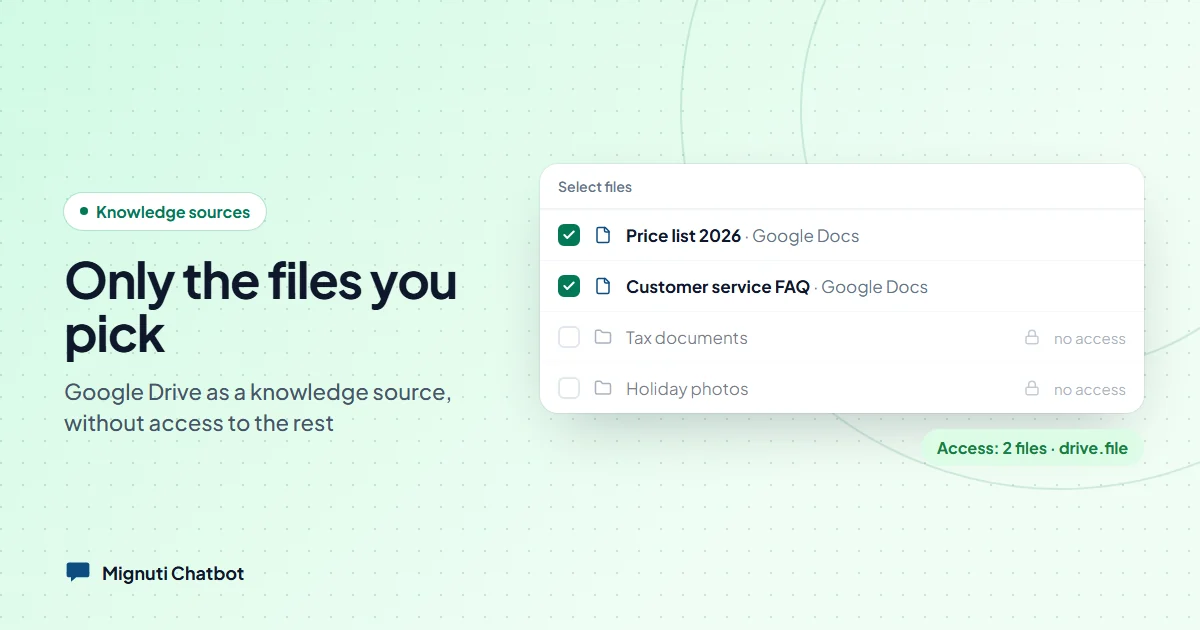
The scope we request is drive.file. It grants access to exactly the files you click yourself in the Google dialog — and nothing else. Not the folder next to it, not your tax paperwork, not whatever lands there tomorrow.
That is not a promise in our terms, it is the shape of the mandate you grant. Even if we wanted to, we could not see more. For a chatbot meant to answer questions from a few manuals, that is the right cut.
The price is convenience: on Drive there is no folder sync. New files do not appear by themselves, you pick them. In exchange you know at any moment exactly what the bot knows — a list you can take in at a glance.
One more thing hung on this. Google classifies drive.readonly as a “restricted scope”. Applications that use it and pull content onto their own servers must pass a paid third-party security assessment every year. Those costs end up in the price — or the vendor skips them and asks for the wide access anyway. We preferred the narrow path.
Google Docs are the interesting case
A Google Doc is not a file in the usual sense. There is no PDF, no .docx — the content lives in Google’s own structure. You can only export it.
That is exactly what we do: we pull Google Docs as plain text. And for a chatbot that is not a fallback, it is the better route. A PDF has to be taken apart first: columns, headers, page breaks mid-sentence, tables that turn into character soup when extracted. Plain text has none of those problems. If you maintain your manuals in Google Docs anyway, you get the cleanest knowledge base we have seen — cleaner than an exported PDF of the same document.
Sheets and slides are deliberately left alone. Not out of laziness: a table falls apart into rows of numbers without context, and a bot that half understands a table is more dangerous than one that never saw it.
What it feels like
Connect, “Pick files”, click them in the Google dialog. The first sync runs immediately — for a two-page PDF, about seven seconds pass before the bot can answer from it.
After that a scheduled job keeps the selection current: change a file and it is read again, with the old passages removed. Delete it in Drive or take it out of the selection and it leaves the knowledge base. Nothing ever changes in your Drive — we read, that is all.
Available from the Standard plan, same as the Dropbox folder. The two combine happily: manuals from Drive, price lists from a Dropbox folder, plus your website — the bot answers from all of it and names the source each time.
What we learned about ourselves
While testing, something surfaced that had nothing to do with Drive: our Test Chat searched for answers across all projects in an organisation and filtered afterwards. Anyone running five bots in one account, as agencies do, got “I have nothing on that” there — while the embedded widget answered the same question correctly.
So the very tool you use to judge your bot’s quality was measuring worse than reality. We only found it because we tested with real documents instead of a demo. Fixed as of 23 September.
Your own chatbot, built from your content
Add your website, upload PDFs or connect a folder. The bot answers only from your sources. Try it free for 7 days.