Integrations
WordPress plugin on the official directory
Mignuti Chatbot is now in the WordPress plugin search. What the plugin does, setup in three steps, and an honest word on privacy.
Contents
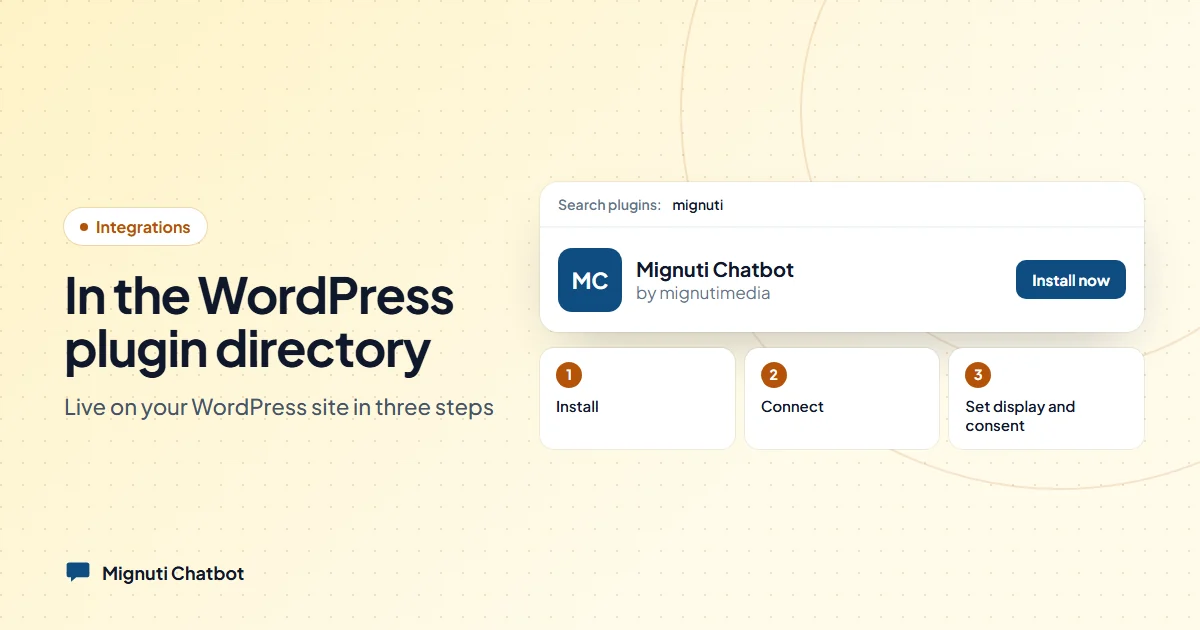
Until yesterday you had to download the plugin as a ZIP and upload it. As of today the plugin search is enough: Plugins → Add New → “Mignuti Chatbot”. The WordPress.org plugin team reviewed and approved our submission — after one review round in which we fixed three small things. The listing: wordpress.org/plugins/mignuti-chatbot.
That changes two things. First, installation is now as boring as with any other plugin. Second, updates arrive automatically through WordPress — you will never have to fetch a new ZIP from us again.
What the plugin does
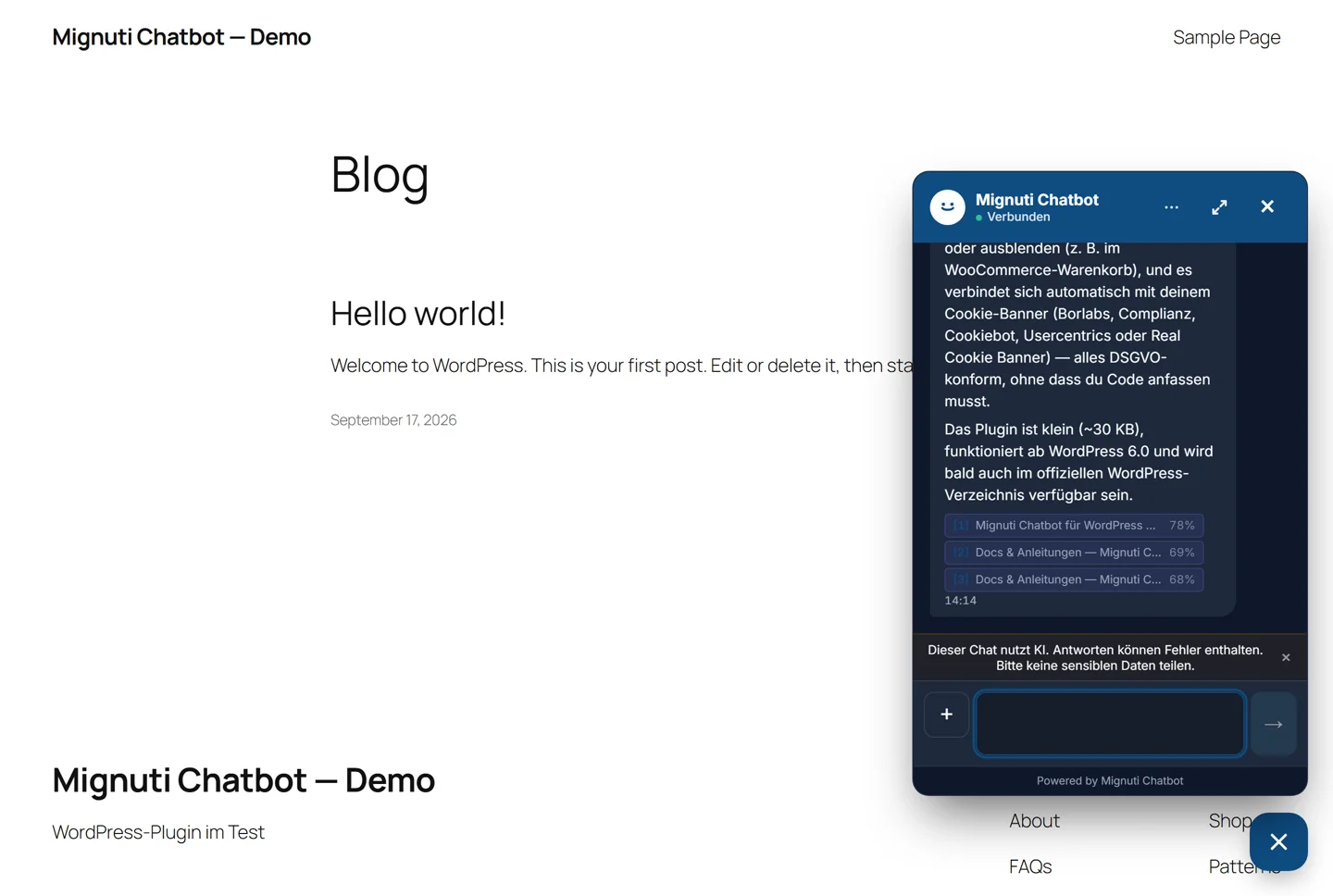
Mignuti Chatbot is an AI chatbot for websites that answers visitor questions from your own content: PDFs, FAQ pages, crawled pages, Q&A pairs. The plugin is the bridge between your WordPress site and your Mignuti project. It brings things you would otherwise have to build into your theme by hand:
- One click to connect. Under Settings → Mignuti Chatbot click “Connect with Mignuti”, pick your project — key and domain are filled in automatically. No key copying, no theme editing.
- Consent bridge to your cookie banner. Borlabs Cookie, Complianz, Cookiebot, Usercentrics and Real Cookie Banner are detected; the chat only loads once the visitor has consented. Other banners call a single line.
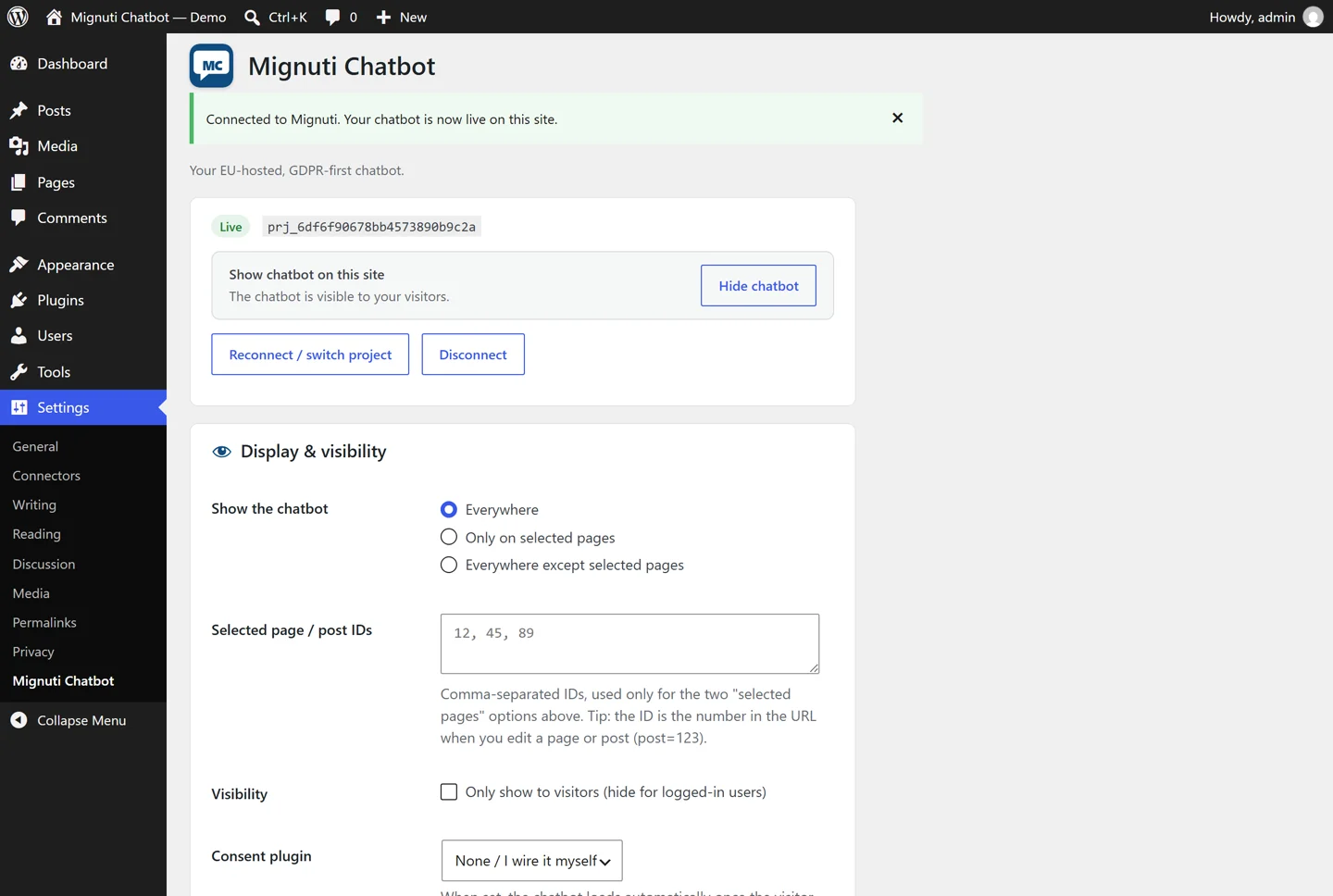
- Page targeting. Everywhere, only on selected pages, or everywhere except selected pages. Optionally hidden for logged-in users.
- WooCommerce. Chat on product pages, and one checkbox keeps it off the cart and checkout.
- A switch to hide it. Take the bot off the whole site temporarily without disconnecting — your settings stay.
- Connection test. One click checks the widget CDN, the API, your key and whether the domain is allowed for your project. If something is off, the plugin tells you what.
- AI notice under the EU AI Act. The “you are chatting with an AI” notice is built into the widget and cannot be switched off — for you that is one obligation less to remember.
Live in three steps
1. Install
WP-Admin → Plugins → Add New, search for “Mignuti Chatbot”, Install Now, Activate. Prefer uploading a file? Our WordPress page has the same ZIP as the directory, 18 KB.
2. Connect
Settings → Mignuti Chatbot → “Connect with Mignuti”. You briefly land on our side, sign in (or create an account — seven days free, no credit card), pick your project and are back in WordPress. Project ID, secret and domain are now in the settings.
If you would rather not use the connect flow, enter Project ID and secret by hand under “Enter details manually” — both are in the Mignuti admin under Embed.
3. Set display and consent
Under Display & visibility you choose where the chat appears. Under Consent you pick the mode: “Wait for consent (GDPR-safe)” is the default. The widget then stays silent until your cookie banner gives the go-ahead — it opens no session, writes nothing to the browser and sends no message. If you use a cache plugin, clear the cache once. Done.
What there is to say honestly about privacy
Because it is the first question European customers ask — and because we prefer precise over catchy:
- The platform runs on our own server in Germany. Database, files, application.
- Answers are generated by a language model at Anthropic (USA) under EU standard contractual clauses. Personal data in messages is masked before it leaves. If you would rather not, switch the bot to EU-only mode (Azure OpenAI EU) — then no chat message goes to Anthropic anymore. Semantic search still runs via OpenAI (USA, also under SCCs).
- Visitors can delete their own conversation, right in the widget. Export and deletion for the whole site are self-service in the Mignuti admin.
- A data processing agreement under Art. 28 GDPR is concluded at sign-up — no paperwork afterwards.
This is exactly what the directory listing says; the plugin team read those very sentences.
What it costs
The plugin is free and open source (GPLv2). The service behind it is not: every account starts with a free seven-day trial, then from 9 EUR per month — see pricing. We would rather say that up front than hide it behind a “Free” button you only discover after installing.
Frequently asked
Is it a problem that the secret appears in the page source? No. The public Project ID is bound to the domains you allow in the Mignuti admin, and every chat session is authorised with a short-lived token. There is no reusable secret in the source; you can rotate the key at any time.
Does it work with my page builder? Yes. The plugin hooks into the page footer, not the theme — Elementor, Divi, Gutenberg, WPBakery make no difference.
Which language does the bot answer in? The one the question was asked in — German, English, French, Italian, Dutch, Spanish and more. Your knowledge base can stay monolingual; translation happens at answer time. There is deliberately no switch that pins the bot to a single answer language.
What if I already added a snippet via a header-footer plugin? Then remove one of the two, or the widget loads twice. The plugin is the better route: it brings the consent bridge, page targeting and the connection test.
All details, screenshots and the ZIP: Mignuti Chatbot for WordPress. Questions about the setup are also answered by the chat in the bottom right — which runs, naturally, on the very same plugin.
Your own chatbot, built from your content
Add your website, upload PDFs or connect a folder. The bot answers only from your sources. Try it free for 7 days.